
Hide Watched Videos
Set your watch threshold and enjoy fresh content only. Never see the same video twice. YouTube missed one? Hover it and click Watched to hide it too, and manage every marked video from one page.

Hide watched and low views videos, banish Shorts, Mixes, Playlists, Lives and declutter your feed
Watch how YouTube Hider transforms your viewing experience


Set your watch threshold and enjoy fresh content only. Never see the same video twice. YouTube missed one? Hover it and click Watched to hide it too, and manage every marked video from one page.
Eliminate distracting Shorts, Mix playlists, Playlists and live streams everywhere on YouTube.
Hide videos below a minimum view count, above a maximum one, or both together to keep only a popularity range. Quality over quantity.
Hide videos that are too new or too old. Set two independent thresholds to keep only content from a specific time window, with multi-language date parsing.
Choose whether filtered videos disappear completely or stay visible with a dark overlay showing why they were filtered. Dim mode keeps elements clickable.
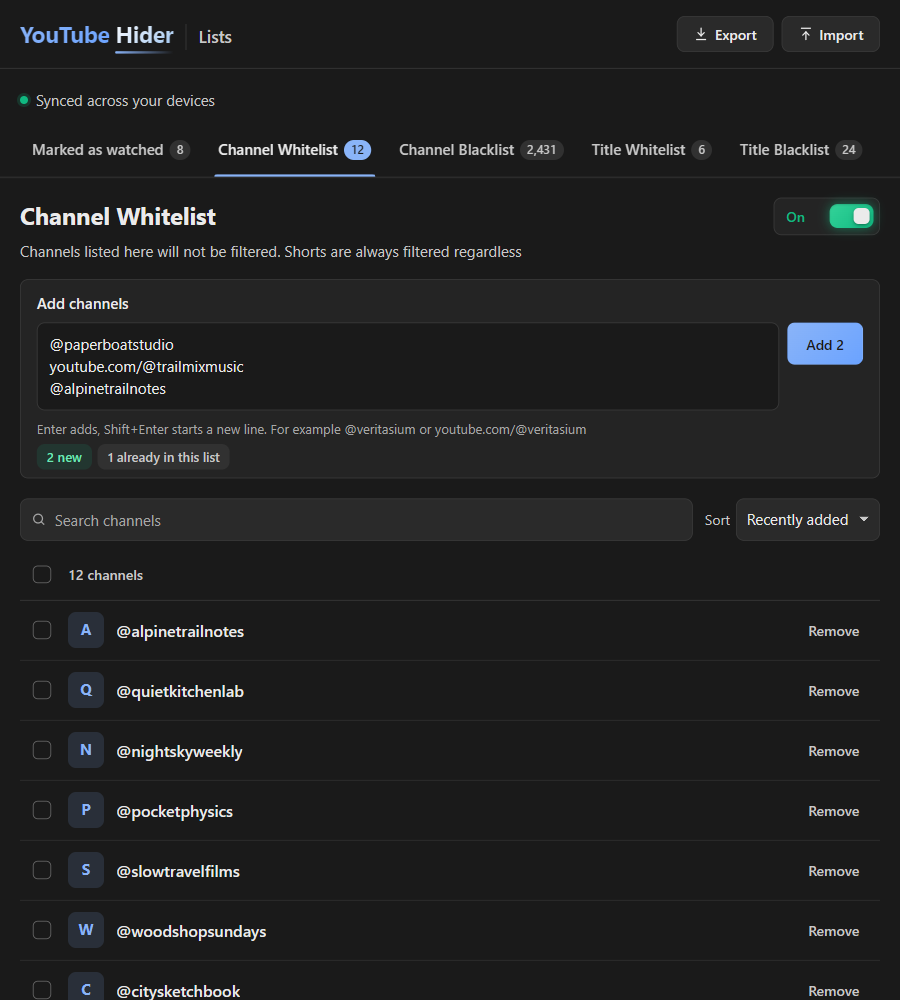
Exempt your favorite channels from every filter. Add them straight from the filtered overlay, the Subscribe button, or the popup, with an undo window so a stray click never sticks. Or whitelist a word, and every video with it in its title is never filtered.
The opposite of Whitelist: always hide a channel's videos everywhere, including Shorts, Mixes, Playlists and Lives. Add it from the Subscribe button, a hover button on any video card, filtered or not, or the popup, with the same undo window as Whitelist. Or blacklist a word, and every video with it in its title is always hidden, even from a whitelisted channel. Thousands of entries? Manage every list on one page, with search, bulk paste and Undo.
Instantly pause every filter with one switch in the popup header, without losing any of your settings.
YouTube sometimes forgets the progress bar on a video you already saw, and it knows nothing about the ones you watched on another account. Mark them yourself, and they go away like any other watched video.
A Watched button appears next to Blacklist at the top of any video thumbnail. The video is hidden or dimmed following your Hide Watched Videos settings, on the same pages.
A 3 second Undo catches a stray click before it counts. In Dim mode, the overlay of a marked video carries an Unmark button that brings it back right away.
Manage, in the Hide Watched Videos card, opens every marked video newest first, on the same page as your whitelists and blacklists. Search by title, channel or ID, remove one or several with Undo, and export or import every list as one file.
Marks follow you to every computer signed into the same Chrome profile. Up to 3,000 videos are kept, and the page warns you well before the oldest ones start to drop.
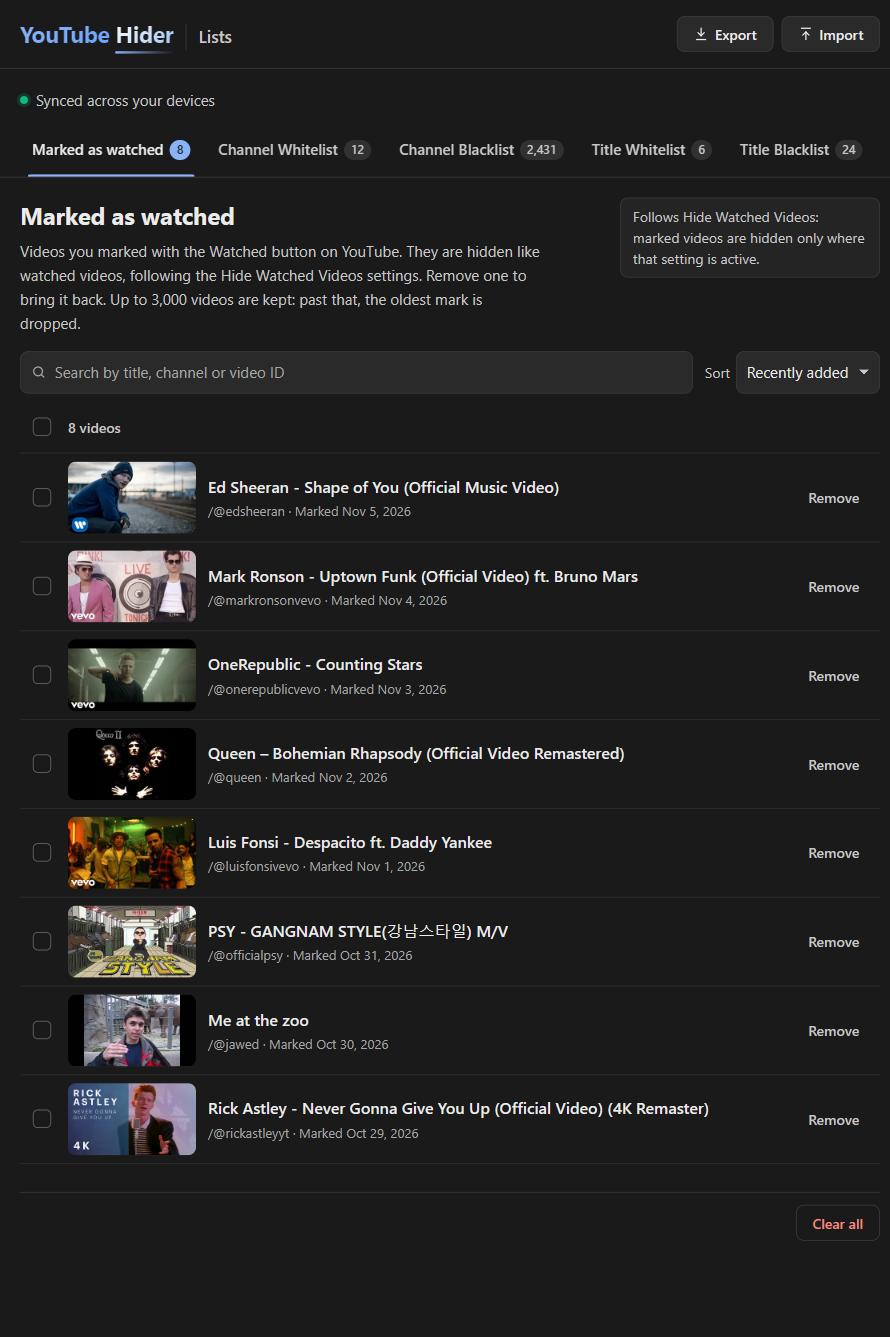
Channel Whitelist, Channel Blacklist, Title Whitelist, Title Blacklist and your marked videos, all on one page that stays quick with thousands of entries.
Drop in a stack of handles, channel links or words, one per line. Before anything is saved, a preview shows what is new, what is already listed and what moves over from the opposite list.
Search filters as you type and sorting puts the newest or A to Z first. Shift-click a range, or select every match, then remove it or move it to the other list in one go.
Adding, removing and moving all come with Undo. Clearing a whole list asks first, and offers to export a backup before anything goes.
Your lists follow you to every computer signed into the same Chrome profile, in a compact format that fits around 12,000 to 14,000 channels and words. Past that, nothing is lost: they keep working right where you are.
Because laziness deserves optimization
Join thousands of users who have already simplified their streaming experience