Watch how YouTube Hider transforms your viewing experience
Features
Powerful Features
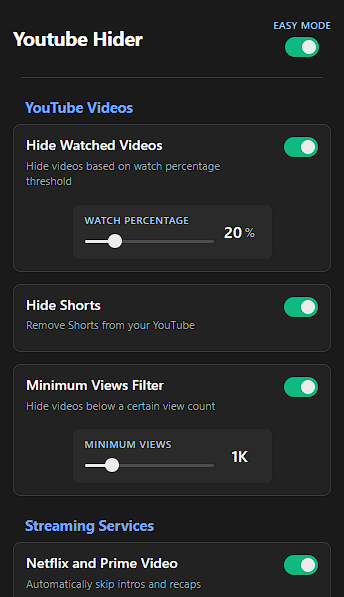
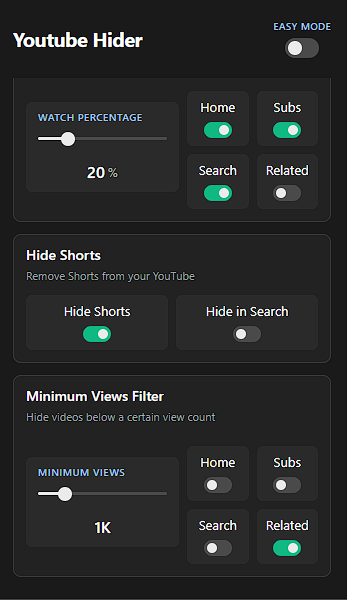
Hide Watched Videos
Set your watch threshold and enjoy fresh content only. Never
see the same video twice. YouTube missed one? Hover it and
click Watched to hide it too, and manage every marked video
from one page. Songs can stay, so you can play them again.
Hide Shorts, Mixes, Playlists & Lives
Eliminate distracting Shorts, Mix playlists, Playlists and
live streams everywhere on YouTube.
Views Filter
Hide videos below a minimum view count, above a maximum one,
or both together to keep only a popularity range. Quality over
quantity.
Upload Date Filter
Hide videos that are too new or too old. Set two independent
thresholds to keep only content from a specific time window,
with multi-language date parsing.
Filter Mode: Hide or Dim
Choose whether filtered videos disappear completely or stay
visible with a dark overlay showing why they were filtered.
Dim mode keeps elements clickable.
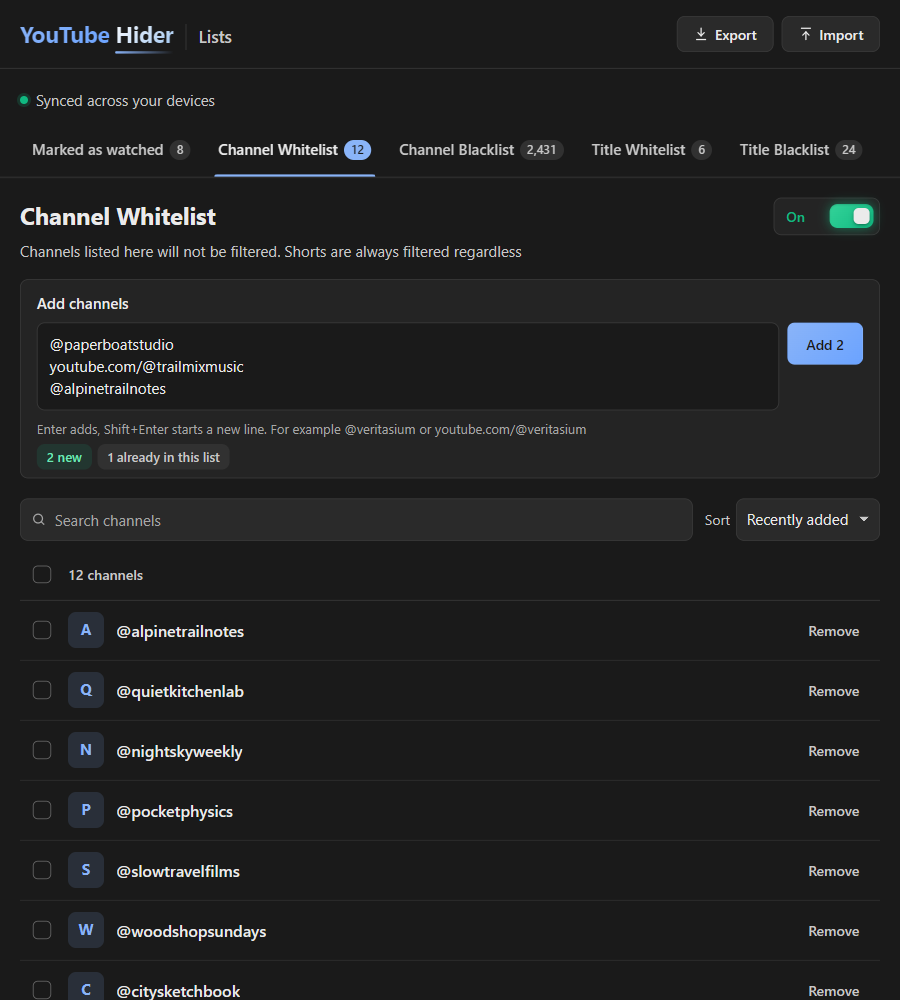
Channel & Title Whitelist
Exempt your favorite channels from every filter. Add them
straight from the filtered overlay, the Subscribe button,
or the popup, with an undo window so a stray click never
sticks. Or whitelist a word, and every video with it in
its title is never filtered.
Channel & Title Blacklist
The opposite of Whitelist: always hide a channel's videos
everywhere, including Shorts, Mixes, Playlists and Lives.
Add it from the Subscribe button, a hover button on any
video card, filtered or not, or the popup, with the same
undo window as Whitelist. Or blacklist a word, and every
video with it in its title is always hidden, even from a
whitelisted channel. Thousands of entries? Manage every list
on one page, with search, bulk paste and Undo.
Master Extension Switch
Instantly pause every filter with one switch in the popup
header, without losing any of your settings.
Watched
Mark as Watched
YouTube sometimes forgets the progress bar on a video you already saw,
and it knows nothing about the ones you watched on another account.
Mark them yourself, and they go away like any other watched video.
Hover and click Watched
A Watched button appears next to Blacklist at the top of any
video thumbnail. The video is hidden or dimmed following your
Hide Watched Videos settings, on the same pages.
Change your mind anytime
A 3 second Undo catches a stray click before it counts. In
Dim mode, the overlay of a marked video carries an Unmark
button that brings it back right away.
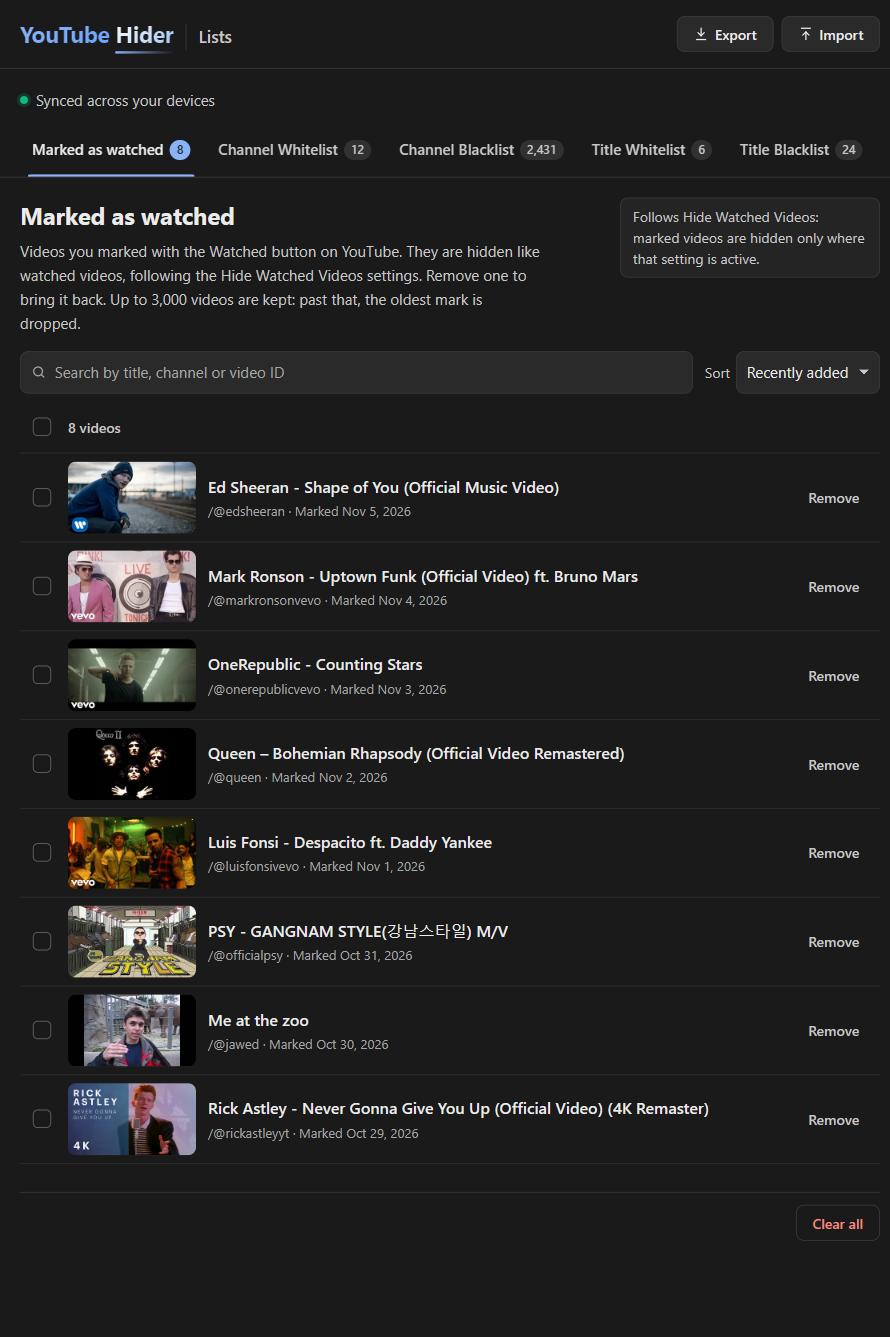
Manage them in one page
Manage, in the Hide Watched Videos card, opens every marked
video newest first, on the same page as your whitelists and
blacklists. Search by title, channel or ID, remove one or
several with Undo, and export or import every list as one
file.
Synced across devices
Marks follow you to every computer signed into the same
Chrome profile. Up to 3,000 videos are kept, and the page
warns you well before the oldest ones start to drop.
Marked as watched
Lists
Manage Every List
Channel Whitelist, Channel Blacklist, Title Whitelist, Title
Blacklist and your marked videos, all on one page that stays
quick with thousands of entries.
Paste many at once
Drop in a stack of handles, channel links or words, one per
line. Before anything is saved, a preview shows what is new,
what is already listed and what moves over from the
opposite list.
Find anything in seconds
Search filters as you type and sorting puts the newest or
A to Z first. Shift-click a range, or select every match,
then remove it or move it to the other list in one go.
Every change can be undone
Adding, removing and moving all come with Undo. Clearing a
whole list asks first, and offers to export a backup before
anything goes.
Synced, with room to grow
Your lists follow you to every computer signed into the same
Chrome profile, in a compact format that fits around 12,000
to 14,000 channels and words. Past that, nothing is lost:
they keep working right where you are.
Lists
Because laziness deserves optimization
Ready to Transform Your YouTube?
Join thousands of users who have already simplified their streaming
experience